
Tips for Creating a Productive Home Office Space
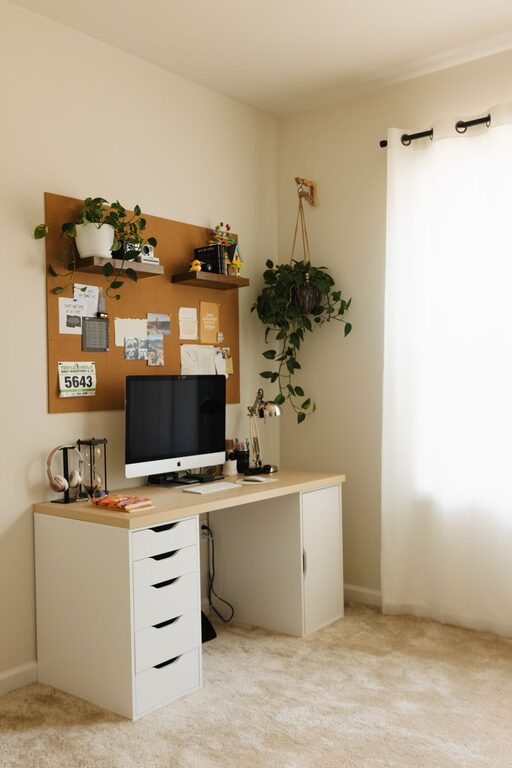
Creating a productive home office space is essential for anyone working remotely or managing tasks from home. A well-designed workspace helps minimize distractions, keeps you motivated, and supports your overall productivity. Whether you have a dedicated room or just a corner in your living area, this guide offers practical tips to help you set up an efficient and comfortable home office.
Choose the Right Location
Find a Quiet Spot
Select an area that is quiet and away from high-traffic zones in your home. This reduces interruptions and helps you stay focused on your work.
Consider Natural Light
Where possible, position your desk near a window to take advantage of natural light. This not only improves mood but can also reduce eye strain.
Invest in Comfortable Furniture
Ergonomic Chair
A good chair that supports your back is crucial. Ergonomic chairs are designed to reduce physical strain during long hours of sitting.
Suitable Desk Height
Your desk should be at a height that allows your arms to rest comfortably while typing or writing. Adjustable desks, including standing options, are increasingly popular for promoting movement throughout the day.
Organize Your Space
Declutter Regularly
Keep only essentials on your desk to avoid distraction. Use shelves, drawers, or organizers to store supplies neatly.
Cable Management
Use clips or cable organizers to keep cords and wires tidy. This not only looks better but also prevents accidents.
Optimize Lighting
Use Task Lighting
In addition to natural light, use a desk lamp with adjustable brightness and direction. Proper lighting reduces eye fatigue and enhances concentration.
Avoid Glare
Position screens and lights to avoid reflections and glare, which can cause discomfort and headaches.
Customize for Your Needs
Add Personal Touches
Decorate your space with items that inspire you, like artwork or plants. Plants can also improve air quality and add a sense of calm.
Use Technology Wisely
Invest in reliable technology, including a fast internet connection, quality headphones, and tools like a second monitor if needed to increase productivity.
Set Boundaries and Routines
Define Work Hours
Establish clear working hours to separate professional time from personal life, which helps maintain work-life balance.
Communicate with Household Members
Let others know your schedule and workspace boundaries to minimize disruptions.
Maintain Good Habits
Take Regular Breaks
Stand up, stretch, or take short walks to refresh your mind and body. Breaks can improve focus and prevent burnout.
Keep Hydrated and Nourished
Having water and healthy snacks nearby supports sustained energy levels.
Keep Improving Your Space
Your needs may change over time, so periodically assess your setup. Simple adjustments can make a significant difference in maintaining comfort and productivity.
—
By thoughtfully setting up your home office, you create an environment that supports focus and well-being. With these tips, you’ll be able to build a workspace where you can work efficiently and comfortably every day.